Use cases
Everything you can build with one API
OG images, charts, invoices, certificates, event tickets — every output below is real, unedited output from this exact API. Send HTML or JSON, receive a pixel-perfect PNG, JPEG, WebP, or PDF.
Milestone cards that post themselves
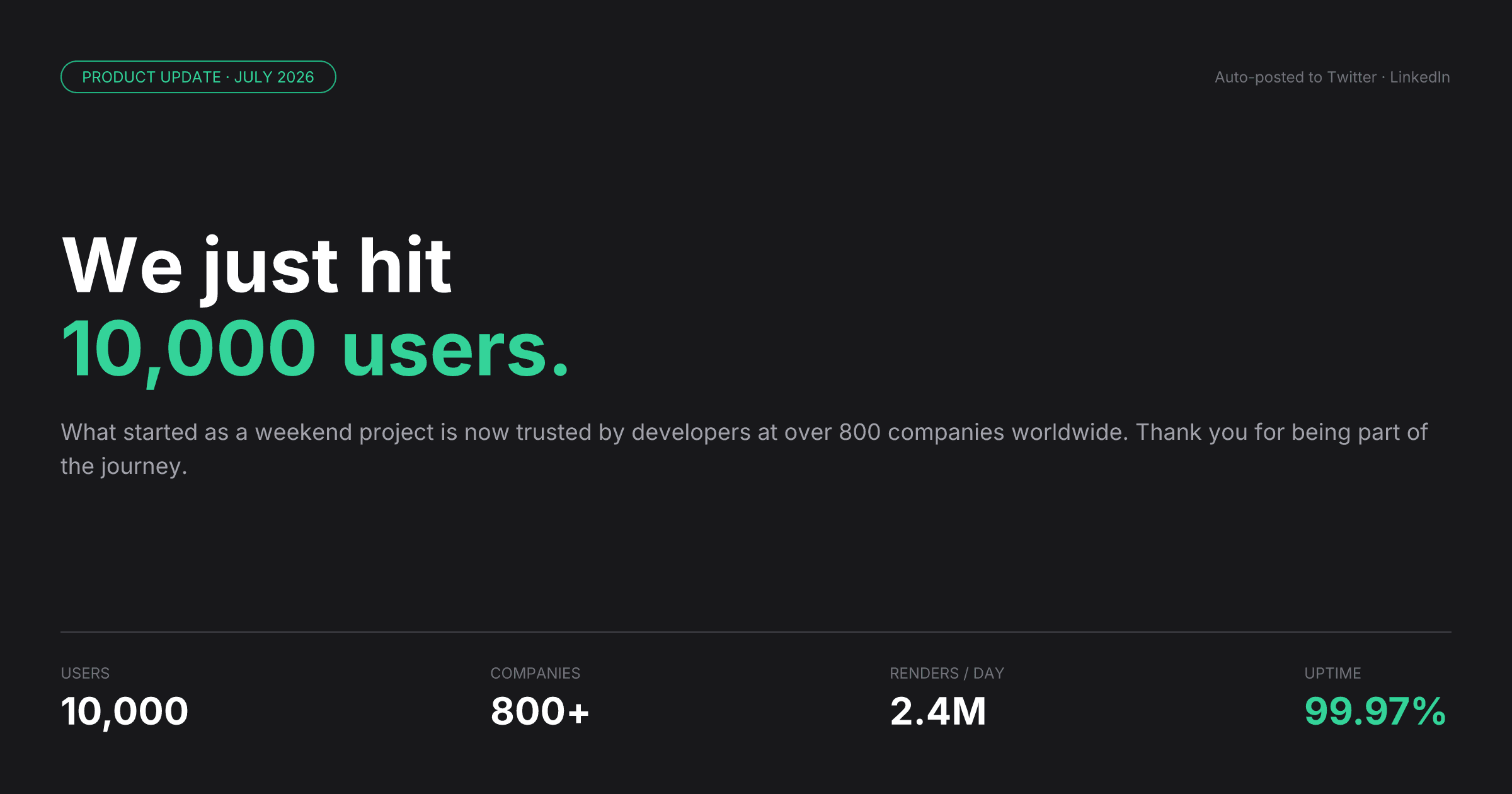
Milestone cards that post themselves
When a metric hits a threshold — users, revenue, renders — fire one API call and get back a share-ready 1200×630 card. Schedule it straight to Twitter, LinkedIn, or Instagram without touching Figma.
- Trigger from any event: signups, MRR, API calls, reviews
- Brand-consistent every time — no designer in the loop
- Post to multiple platforms from a single webhook
POST /api/v1/render · type: "tailwind" · format: "png" · 1200×630View template →Hide template ↑
// Fire when your metrics cross a threshold
const res = await fetch("https://renderfy.io/api/v1/render", {
  method: "POST",
  headers: {
    "Content-Type": "application/json",
    Authorization: "Bearer rfy_live_your_key_here",
  },
  body: JSON.stringify({
    type: "tailwind",
    content: `
<div class="flex h-full w-full flex-col justify-between bg-zinc-900 p-12">
  <div class="flex items-center rounded-full border border-emerald-500 px-4 py-1">
    <span class="font-mono text-xs text-emerald-400">
      PRODUCT UPDATE · JULY 2026
    </span>
  </div>
  <div class="flex flex-col">
    <span class="text-6xl font-bold text-white">We just hit</span>
    <span class="text-6xl font-bold text-emerald-400">10,000 users.</span>
    <p class="mt-5 text-lg text-zinc-400">
      Trusted by developers at 800+ companies worldwide.
      Thank you for being part of the journey.
    </p>
  </div>
  <div class="flex items-center">
    <div class="flex flex-col">
      <span class="text-xs text-zinc-500">USERS</span>
      <span class="mt-1 text-2xl font-bold text-white">10,000</span>
    </div>
    <div class="ml-8 flex flex-col">
      <span class="text-xs text-zinc-500">RENDERS / DAY</span>
      <span class="mt-1 text-2xl font-bold text-white">2.4M</span>
    </div>
  </div>
</div>`,
    options: {
      format: "png",
      dimensions: { width: 1200, height: 630 },
      scale: 2,
    },
  }),
});

const cardPng = await res.arrayBuffer();
// POST to Twitter / LinkedIn / Instagram via their upload APIsPersonalized email headers at scale
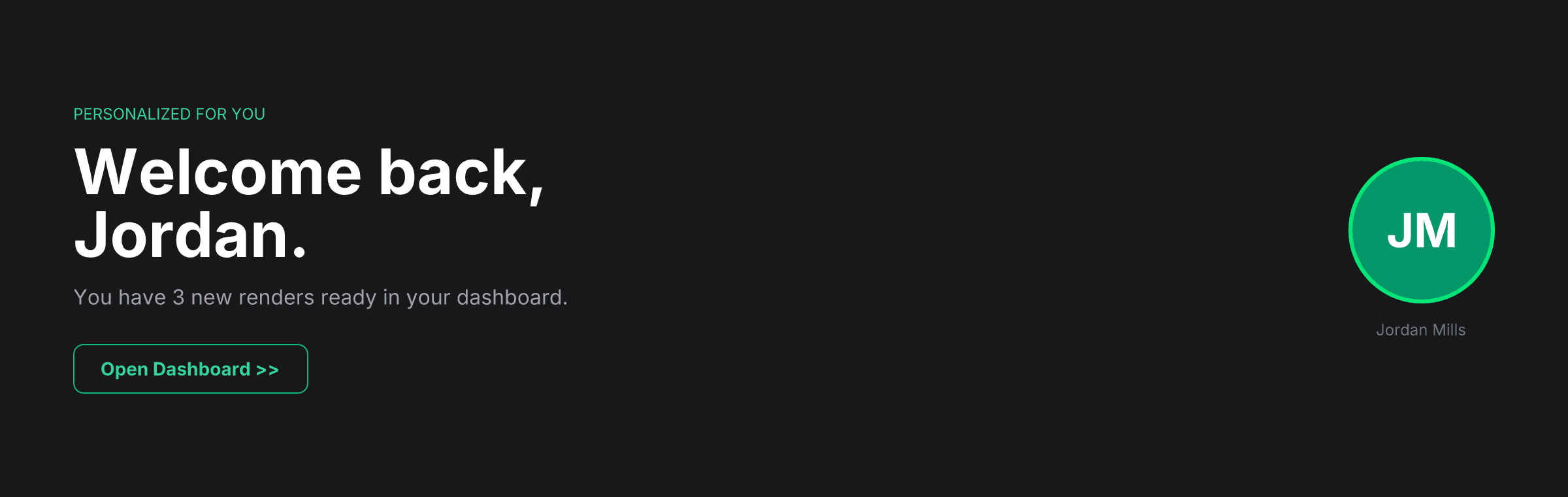
Personalized email headers at scale
Replace the generic hero banner with a header that greets every subscriber by name. Render it server-side per send — same template, thousands of variations, zero extra design work.
- Name, avatar initials, and live counts personalized per recipient
- Compatible with any ESP — embed as a standard <img> tag
- Measurably lifts open-to-click rates vs. generic banners
POST /api/v1/render · type: "tailwind" · format: "png" · 1200×380View template →Hide template ↑
// Pull per-user data from your DB, then render
const { displayName, initials, pendingCount } = await getUser(userId);

const res = await fetch("https://renderfy.io/api/v1/render", {
  method: "POST",
  headers: {
    "Content-Type": "application/json",
    Authorization: "Bearer rfy_live_your_key_here",
  },
  body: JSON.stringify({
    type: "tailwind",
    content: `
<div class="flex h-full w-full items-center justify-between
            bg-zinc-900 px-14 py-10">
  <div class="flex flex-col">
    <span class="font-mono text-xs text-emerald-400">
      PERSONALIZED FOR YOU
    </span>
    <span class="mt-3 text-5xl font-bold text-white">
      Welcome back,
    </span>
    <span class="text-5xl font-bold text-white">
      ${displayName}.
    </span>
    <span class="mt-3 text-base text-zinc-400">
      You have ${pendingCount} new renders ready in your dashboard.
    </span>
  </div>
  <div class="flex h-28 w-28 items-center justify-center
              rounded-full bg-emerald-600">
    <span class="text-4xl font-bold text-white">${initials}</span>
  </div>
</div>`,
    options: {
      format: "png",
      dimensions: { width: 1200, height: 380 },
      scale: 2,
    },
  }),
});

// Embed in your email HTML as a standard <img> — works in every client
const headerPng = Buffer.from(await res.arrayBuffer());
const src = `data:image/png;base64,${headerPng.toString("base64")}`;Listing flyers generated from your data
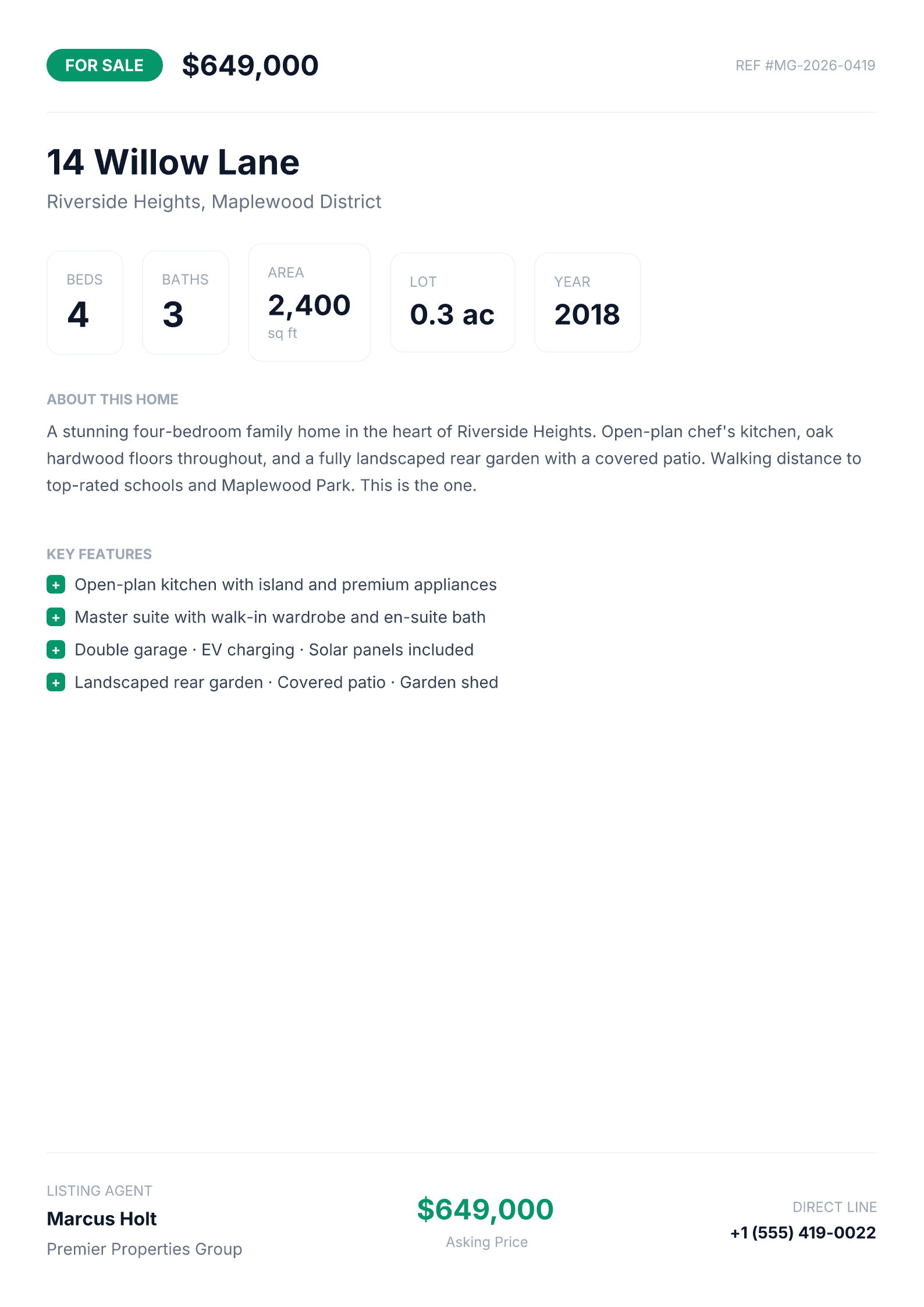
Listing flyers generated from your data
Turn a property record or product row into a print-ready PDF flyer in one API call. Every listing agent, warehouse team, or e-commerce operator gets branded collateral without a design team.
- Pull specs from your DB, render a flyer in under a second
- PDF output is print-ready — A4, vector text, no pixelation
- Same template scales from 1 listing to 100,000
POST /api/v1/render · type: "tailwind" · format: "pdf" · dimensions: "a4"View template →Hide template ↑
// Fetch listing data and render a flyer in one pipeline step
const listing = await db.listings.findUnique({ where: { id } });

const res = await fetch("https://renderfy.io/api/v1/render", {
  method: "POST",
  headers: {
    "Content-Type": "application/json",
    Authorization: "Bearer rfy_live_your_key_here",
  },
  body: JSON.stringify({
    type: "tailwind",
    content: `
<div class="flex h-full w-full flex-col bg-white p-10">
  <div class="flex items-center justify-between pb-6">
    <div class="flex items-center">
      <div class="flex rounded-full bg-emerald-600 px-4 py-1">
        <span class="text-sm font-bold text-white">FOR SALE</span>
      </div>
      <span class="ml-4 text-2xl font-bold text-slate-900">
        $${listing.price.toLocaleString()}
      </span>
    </div>
    <span class="font-mono text-xs text-slate-400">
      REF #${listing.ref}
    </span>
  </div>
  <div class="mt-6 flex flex-col">
    <span class="text-3xl font-bold text-slate-900">
      ${listing.address}
    </span>
    <span class="mt-1 text-base text-slate-500">
      ${listing.neighborhood}
    </span>
  </div>
  <!-- beds, baths, area stats, description, key features, agent footer -->
</div>`,
    options: { format: "pdf", dimensions: "a4" },
  }),
});

const flyer = await res.arrayBuffer(); // attach to email or store to S3Weekly exec summaries delivered automatically
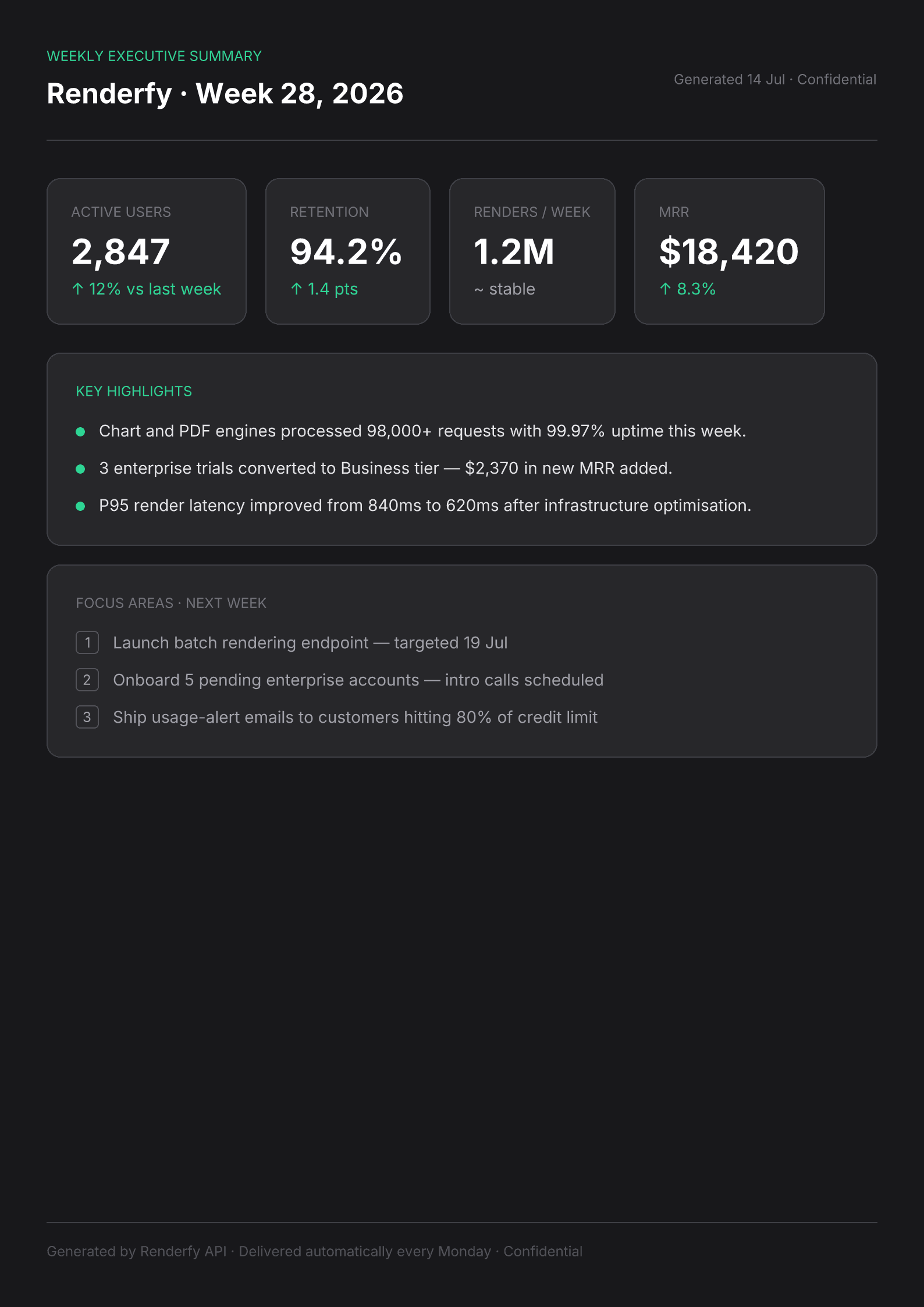
Weekly exec summaries delivered automatically
Query your metrics every Monday, render a branded PDF summary, and drop it in Slack or email — all from a single cron job. Leadership gets a clean brief without anyone assembling it by hand.
- Metrics pulled from your DB, not copied from a dashboard
- Delivered before the Monday standup — zero manual prep
- Works for SaaS digests, investor updates, board packs
POST /api/v1/render · type: "tailwind" · format: "pdf" · dimensions: "a4"View template →Hide template ↑
// cron.ts — runs every Monday at 08:00
import { fetchWeeklyMetrics } from "./metrics";

const metrics = await fetchWeeklyMetrics();

const res = await fetch("https://renderfy.io/api/v1/render", {
  method: "POST",
  headers: {
    "Content-Type": "application/json",
    Authorization: "Bearer rfy_live_your_key_here",
  },
  body: JSON.stringify({
    type: "tailwind",
    content: `
<div class="flex h-full w-full flex-col bg-zinc-900 p-10">
  <div class="flex flex-col pb-6">
    <span class="font-mono text-xs text-emerald-400">
      WEEKLY EXECUTIVE SUMMARY
    </span>
    <span class="mt-2 text-2xl font-bold text-white">
      Renderfy · Week ${metrics.weekNumber}, ${metrics.year}
    </span>
  </div>

  <!-- KPI cards: users, retention, renders/week, MRR -->
  <div class="mt-8 flex items-center">
    <div class="flex flex-col rounded-xl border border-zinc-700
                bg-zinc-800 p-5">
      <span class="text-xs text-zinc-500">ACTIVE USERS</span>
      <span class="mt-2 text-3xl font-bold text-white">
        ${metrics.activeUsers.toLocaleString()}
      </span>
    </div>
    <!-- ... more KPI cards ... -->
  </div>

  <!-- Highlights, focus areas, footer -->
</div>`,
    options: { format: "pdf", dimensions: "a4" },
  }),
});

const summary = await res.arrayBuffer();
await slack.files.upload({ content: summary, filename: "exec-summary.pdf", channels: ["#leadership"] });VIP badges with scannable QR codes
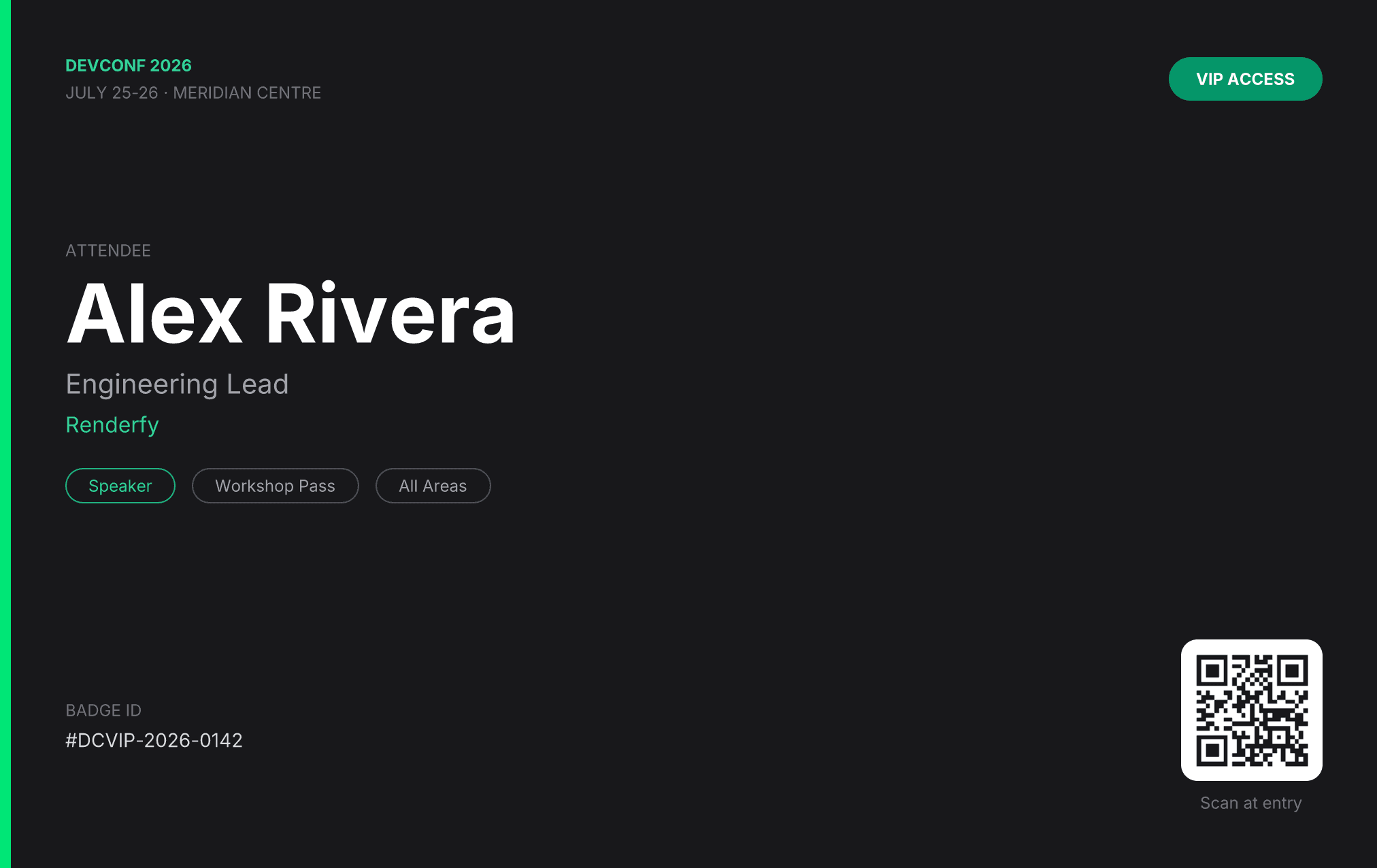
VIP badges with scannable QR codes
Issue a branded, scan-ready conference badge the moment a VIP registration lands — name, company, tier, and a live QR code in a single API call. No print shop, no manual step, no badge that says 'Jane Doe'.
- Badge generated at registration — no batch print job needed
- QR code encodes your own check-in payload, scannable at the door
- Scales from 5 VIPs to 50,000 general-admission passes
POST /api/v1/render · type: "tailwind" · format: "png" · 1012×638View template →Hide template ↑
import QRCode from "qrcode";

// On registration webhook
const { name, company, role, badgeId } = registration;
const qr = await QRCode.toDataURL(`BADGE:${badgeId}-${name.replace(/ /g, "-").toUpperCase()}`, {
  width: 128,
  margin: 1,
  color: { dark: "#18181b", light: "#ffffff" },
});

const res = await fetch("https://renderfy.io/api/v1/render", {
  method: "POST",
  headers: {
    "Content-Type": "application/json",
    Authorization: "Bearer rfy_live_your_key_here",
  },
  body: JSON.stringify({
    type: "tailwind",
    content: `
<div class="flex h-full w-full flex-col bg-zinc-900 p-4">
  <div class="flex flex-col rounded-2xl border border-zinc-700 bg-zinc-800">

    <!-- Tier banner -->
    <div class="flex items-center justify-center bg-emerald-600 py-2"
         style="border-radius:16px 16px 0 0;">
      <span class="font-mono text-xs font-bold text-white">
        VIP ACCESS · DEVCONF 2026 · JULY 25-26
      </span>
    </div>

    <!-- Name + QR -->
    <div class="flex items-center justify-between p-6">
      <div class="flex flex-col">
        <span class="text-3xl font-bold text-white">${name}</span>
        <span class="mt-1 text-base text-zinc-400">
          ${company} · ${role}
        </span>
        <div class="mt-5 flex items-center">
          <div class="flex rounded-full bg-emerald-600 px-4 py-1">
            <span class="text-xs font-bold text-white">VIP</span>
          </div>
          <div class="ml-3 flex rounded-full border border-zinc-600 px-3 py-1">
            <span class="font-mono text-xs text-zinc-400">#${badgeId}</span>
          </div>
        </div>
      </div>
      <div class="flex flex-col items-center">
        <div class="flex rounded-xl bg-white p-2">
          <img src="${qr}" style="width:88px;height:88px;" />
        </div>
        <span class="mt-2 font-mono text-xs text-zinc-500">Scan to check in</span>
      </div>
    </div>

  </div>
</div>`,
    options: {
      format: "png",
      dimensions: { width: 1012, height: 638 },
      scale: 2,
    },
  }),
});

const badgePng = await res.arrayBuffer(); // email to attendee or print on-siteEvent tickets with real QR codes
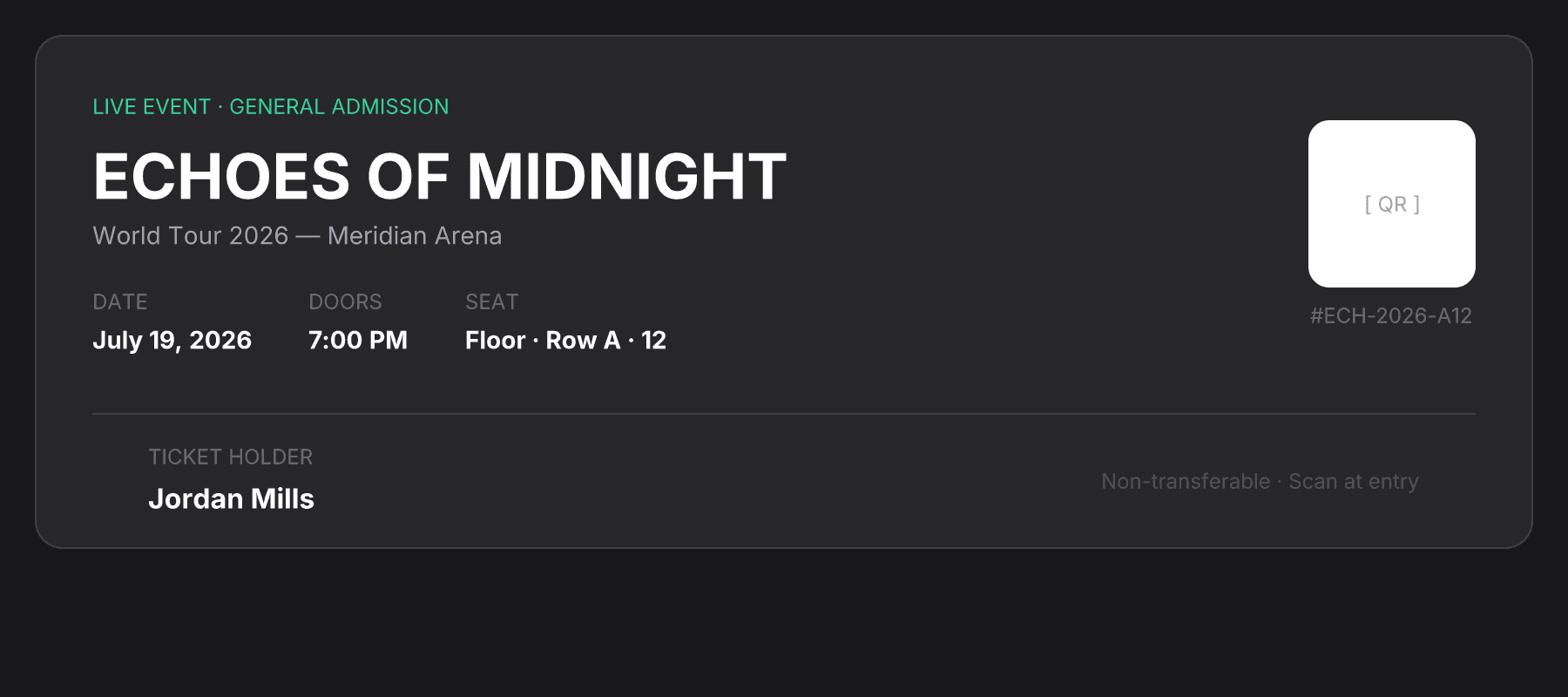
Event tickets with real QR codes
Generate a personalized, scan-ready ticket the moment a booking is confirmed — name, seat, venue, and a live QR code in a single API call. No design tool, no PDF library, no manual step.
- Seat, date, and name rendered per ticket
- Real QR code embedded from a data URI — scannable at the door
- Works for concerts, conferences, workshops, sports
POST /api/v1/render · type: "tailwind" · format: "png" · 900×400View template →Hide template ↑
// 1. Generate QR code as a base64 data URI (Node.js)
import QRCode from "qrcode";
const qr = await QRCode.toDataURL("TICKET:ECH-2026-FLOOR-A12-JORDAN-MILLS");

// 2. Embed it in your Tailwind template and send to the API
const content = `
<div class="flex h-full w-full flex-col bg-zinc-900 p-5">
  <div class="flex flex-col rounded-2xl border border-zinc-700 bg-zinc-800">

    <div class="flex items-center justify-between p-8">
      <div class="flex flex-col">
        <span class="font-mono text-xs text-emerald-400">
          LIVE EVENT · GENERAL ADMISSION
        </span>
        <span class="mt-3 text-4xl font-bold text-white">
          ECHOES OF MIDNIGHT
        </span>
        <span class="mt-1 text-sm text-zinc-400">
          World Tour 2026 — Meridian Arena
        </span>
        <div class="mt-5 flex items-center">
          <div class="flex flex-col">
            <span class="text-xs text-zinc-500">DATE</span>
            <span class="mt-1 text-sm font-semibold text-white">
              July 19, 2026
            </span>
          </div>
          <div class="ml-8 flex flex-col">
            <span class="text-xs text-zinc-500">SEAT</span>
            <span class="mt-1 text-sm font-semibold text-white">
              Floor · Row A · 12
            </span>
          </div>
        </div>
      </div>

      <!-- QR code: pass the base64 data URI inline in src -->
      <div class="flex flex-col items-center">
        <div class="flex rounded-xl bg-white p-2">
          <img src="${qr}" style="width:96px;height:96px;" />
        </div>
        <span class="mt-2 font-mono text-xs text-zinc-500">
          #ECH-2026-A12
        </span>
      </div>
    </div>

    <div class="flex items-center justify-between px-8 py-4">
      <div class="flex flex-col">
        <span class="text-xs text-zinc-500">TICKET HOLDER</span>
        <span class="mt-1 text-base font-bold text-white">Jordan Mills</span>
      </div>
      <span class="font-mono text-xs text-zinc-600">
        Scan at venue entry · Non-transferable
      </span>
    </div>

  </div>
</div>`;

// 3. POST to Renderfy
const res = await fetch("https://renderfy.io/api/v1/render", {
  method: "POST",
  headers: {
    "Content-Type": "application/json",
    Authorization: "Bearer rfy_live_your_key_here",
  },
  body: JSON.stringify({
    type: "tailwind",
    content,
    options: { format: "png", dimensions: { width: 900, height: 400 }, scale: 2 },
  }),
});
const ticketPng = await res.arrayBuffer(); // ready to email, store, or serve
100 free credits — no card required
Sign up, grab an API key, and render any of these use cases in minutes.