Invoice Generator API
Turn a billing event into a PDF invoice
Your invoice layout is just an HTML template. Populate it with real order data on a payment webhook, and get a branded, print-ready PDF back in the same request.
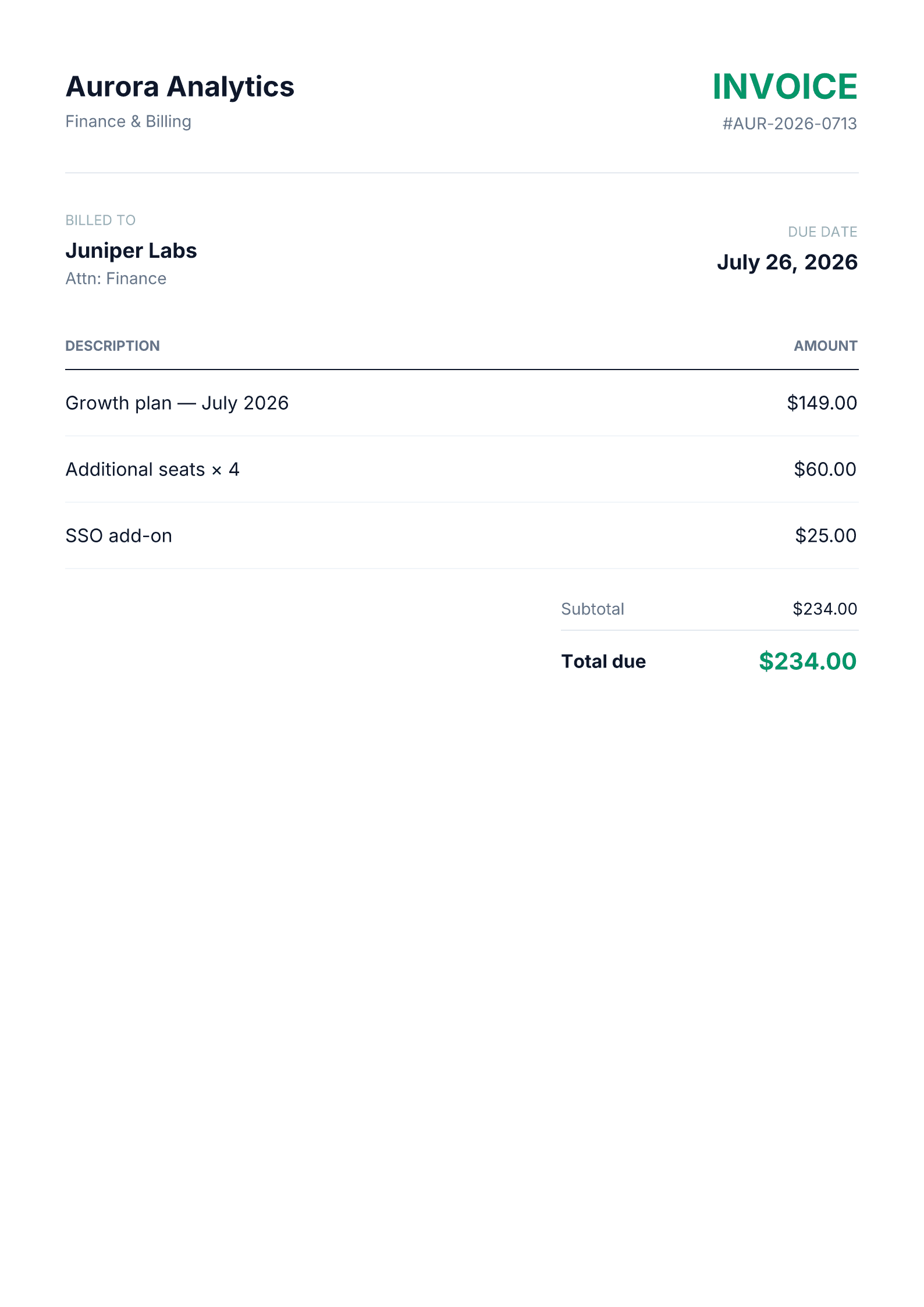
POST /api/v1/render · type: "tailwind" · format: "pdf" · dimensions: "a4"Download the sample PDF →Billing documents that never drift from your brand
Your invoice is just a template
Line items, totals, and due dates are template variables in an HTML/Tailwind layout you design once — no proprietary invoice builder to learn.
Generate in the same request cycle
Call the render endpoint directly from your billing webhook handler; the PDF comes back before the handler returns.
Zero drift from your product UI
Because the invoice is your own HTML, its branding stays in lockstep with the rest of your product — no separate design system to maintain.
How it works
- 1
Build your invoice layout as an HTML template
Header, billed-to block, line items, and a total — with placeholders for the real order data.
- 2
Populate it on a payment webhook
When a charge or subscription event fires, fill in the template with that transaction's real data and POST it to the render endpoint.
curl -X POST https://renderfy.io/api/v1/render \ -H "Authorization: Bearer rfy_live_YOUR_KEY" \ -H "Content-Type: application/json" \ -d '{ "type": "tailwind", "content": "<div class=\"p-14\">Invoice #1042 — $234.00 due</div>", "options": { "format": "pdf", "dimensions": "a4" } }' \ --output invoice.pdf - 3
Attach it to the receipt email
Store the returned PDF next to the transaction record, or attach it directly to the confirmation email you already send.
Frequently asked questions
Does this replace a billing or invoicing platform?+
No — pair it with the billing logic and webhooks you already have. This API only handles turning a populated template into the final PDF document.
Is invoice data stored anywhere?+
No. Rendering is stateless — content is never stored. Usage logs record that a render happened, never the invoice content or the resulting file.
Can I add my logo and brand colors?+
Yes. Anything expressible in HTML and Tailwind — a logo image, custom colors, custom fonts — is fair game in the template.
What page size do invoices render at?+
A4 by default. Letter and exact custom pixel dimensions are also supported if your invoices need a different page size.
More ways to use the API
Automate your first invoice today
Sign up, mint an API key, and generate your first invoice PDF in the next 5 minutes — 100 free credits included — no card needed.