Tailwind → Email Header PNG
Dynamic email header images, generated per send
Design one email header template, then generate a unique image for every campaign, user segment, or announcement — injecting the right name, offer, or date automatically at send time.
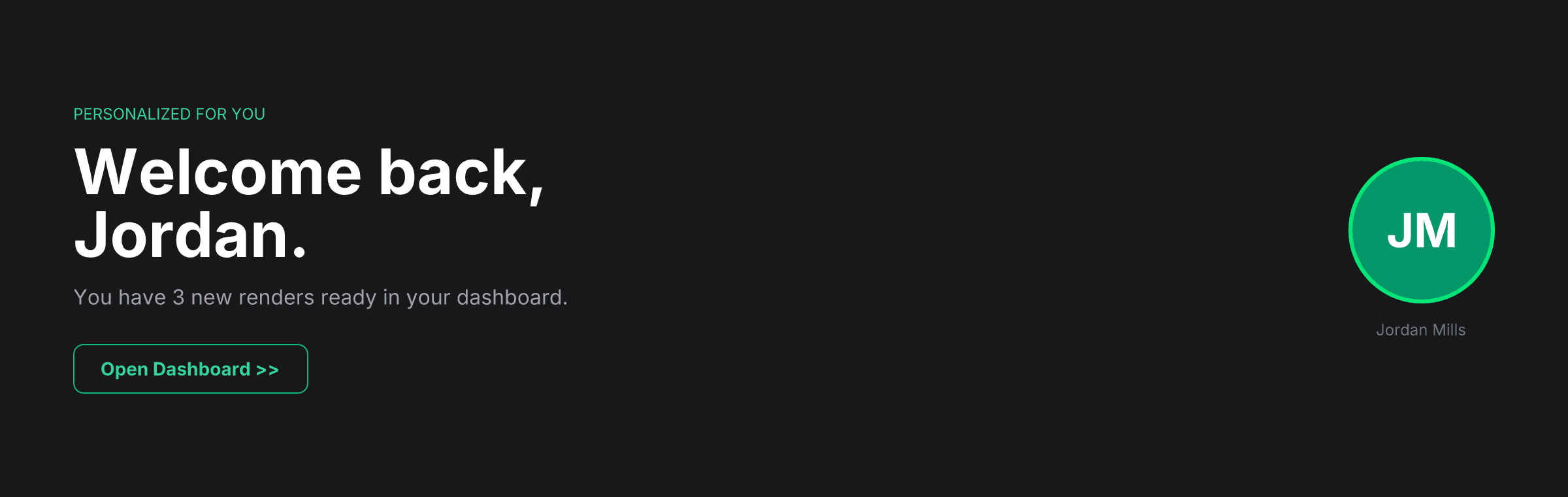
POST /api/v1/render · type: "tailwind" · format: "png" · dimensions: "600x200"Email can't run JavaScript — but it can display an image
Personalize without client-side rendering
Email clients block scripts and strip dynamic content. A rendered image sidesteps that entirely — the personalization happens server-side at send time, and the recipient sees a static PNG that loads instantly.
Per-send images, not per-campaign
Inject the recipient's first name, a countdown date, a personalized offer code, or a tier badge into the header image itself — not just the copy around it.
Consistent across every email client
Gmail, Outlook, Apple Mail, and every mobile client render a PNG the same way. No Outlook-specific CSS hacks, no dark-mode inversion surprises — it's just an image.
How it works
- 1
Design your email header in Tailwind
Use your brand colors, logo, and font stack. Placeholder values for the campaign headline, date, or recipient name are variables you'll swap at render time.
- 2
Call the API once per email before sending
Generate the header image with that send's specific content immediately before your email service dispatches it.
curl -X POST https://renderfy.io/api/v1/render \ -H "Authorization: Bearer rfy_live_YOUR_KEY" \ -H "Content-Type: application/json" \ -d '{ "type": "tailwind", "content": "<div class=\"flex h-full items-center justify-between bg-zinc-900 px-10\"><div><p class=\"text-xs font-semibold uppercase tracking-widest text-emerald-400\">Summer Release</p><h1 class=\"mt-1 text-3xl font-bold text-white\">Hi Alex, your exclusive preview is ready</h1></div></div>", "options": { "format": "png", "dimensions": "600x200" } }' \ --output header.png - 3
Upload and reference in your email template
Store the PNG in your object storage or CDN, then reference it as a standard <img> tag in your email HTML. The recipient sees a fully personalised header image.
Frequently asked questions
What dimensions should an email header image be?+
600px wide is the standard safe width for email (matching most email client content columns). Height is typically 150–250px for a header banner. Pass exact pixel dimensions in the request — no presets required.
Can I include a countdown timer or live date in the image?+
Yes — inject the date or remaining-time text into the template string at render time. The image is generated fresh at send time, so the content is accurate for each recipient's send timestamp.
How does this compare to generating images with an ESP's merge tags?+
Email service providers' dynamic content features are limited to text substitution. This API lets you change fonts, colors, layouts, and visual hierarchy based on the recipient — not just the words inside a fixed template.
Is it fast enough to generate images synchronously before a bulk send?+
Each render returns in a single HTTP round-trip. For large bulk sends, generate headers in parallel batches and store the results before dispatching — the API is stateless and designed for concurrent use.
More ways to use the API
Personalise your next email campaign's header image
Sign up, mint an API key, and generate your first email header in under 5 minutes — 100 free credits included, no card needed.