Data + Template → PDF Report
Automated PDF report generation via API
Populate a Tailwind or HTML report template with live data from your backend, call the API, and deliver a branded, print-ready PDF — automatically, on any schedule, with no manual formatting step.
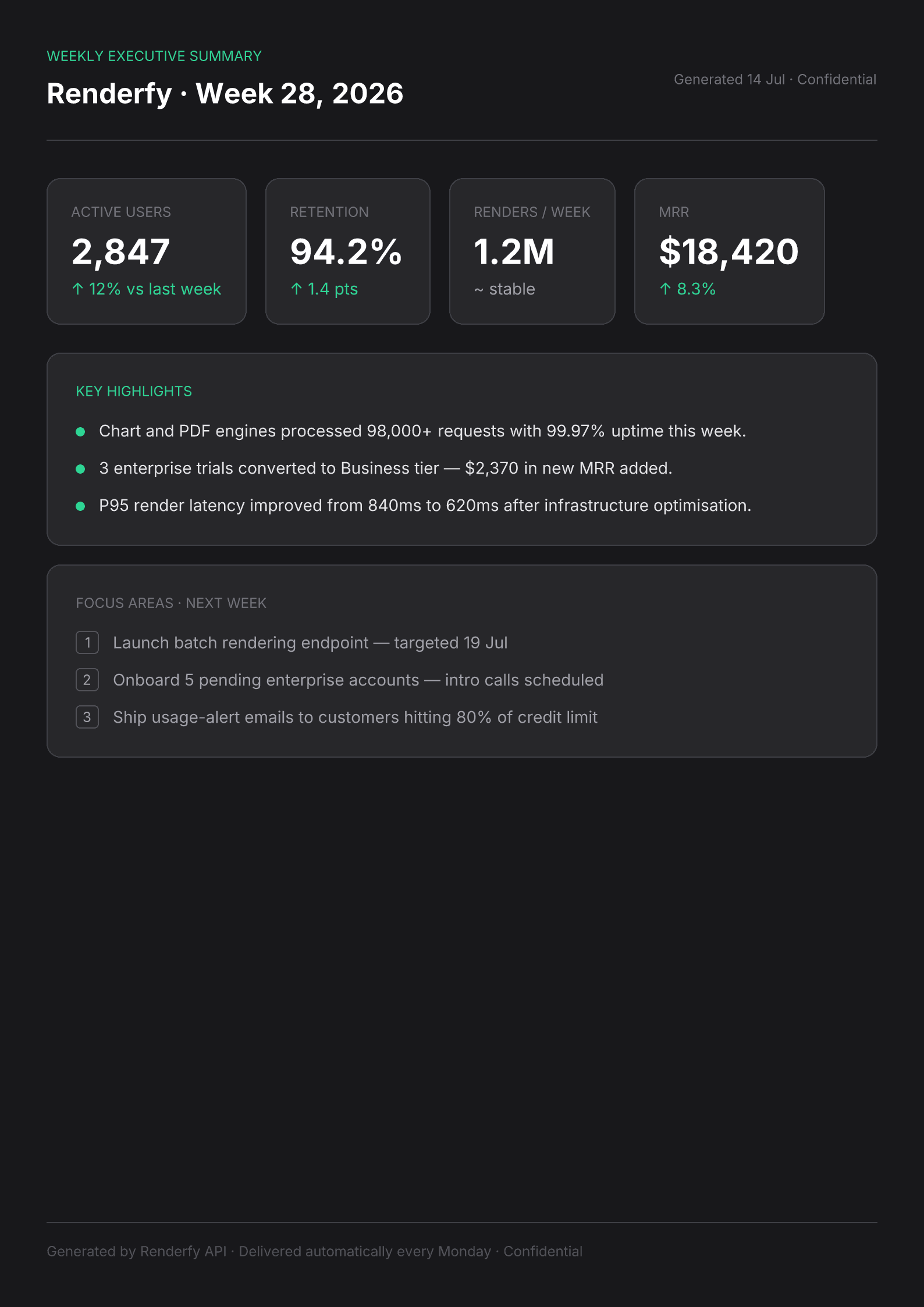
POST /api/v1/render · type: "tailwind" · format: "pdf" · dimensions: "a4"Download a sample report PDF →Replace the manual reporting step your team dreads
Full CSS fidelity — charts, tables, custom fonts
PDF output renders through a real Chromium instance — flexbox layouts, embedded chart images, custom brand fonts, and multi-column tables all render exactly as designed, not as a best-effort approximation.
A4, Letter, or custom page sizes
Use the A4 or Letter dimension presets for standard business reports, or pass custom pixel dimensions for non-standard page sizes like executive dashboards or landscape summaries.
Triggered from any event in your system
Call from a cron job for scheduled weekly reports, from a webhook when a billing cycle closes, or on-demand when a user clicks Export — the API is stateless and fits any trigger pattern.
How it works
- 1
Build a report template in HTML or Tailwind
Design the layout once: header with logo, data tables, chart placeholders, summary section, footer. Placeholders for live values are just string variables you inject per render.
- 2
Populate with live data and POST
Fetch the latest metrics from your database or analytics service, interpolate them into the template string, and call the render endpoint.
curl -X POST https://renderfy.io/api/v1/render \ -H "Authorization: Bearer rfy_live_YOUR_KEY" \ -H "Content-Type: application/json" \ -d '{ "type": "tailwind", "content": "<div class=\"p-10 font-sans\"><h1 class=\"text-3xl font-bold text-zinc-900\">Q2 Performance Report</h1><p class=\"mt-1 text-zinc-500\">Prepared for the Operations Team · July 2026</p><div class=\"mt-8 grid grid-cols-3 gap-6\"><div class=\"rounded-xl border p-6\"><p class=\"text-sm text-zinc-500\">Total Renders</p><p class=\"text-4xl font-bold\">48,291</p></div></div></div>", "options": { "format": "pdf", "dimensions": "a4" } }' \ --output report.pdf - 3
Email, store, or serve directly
Attach the PDF to an automated email, upload to object storage for the user to download, or stream it directly as a response to an in-app Export button.
Frequently asked questions
Can the PDF span multiple pages?+
Yes. The PDF renderer is Chromium — it handles natural page breaks just as a browser's print function would. Long tables, multi-section reports, and paginated content all work without any special configuration.
Can I embed charts or graphs in the report?+
Yes. Embed chart images as base64 data URIs in the HTML, or generate chart images with the chart engine first and reference them by URL. Both approaches work within the same PDF template.
How do I schedule weekly or monthly report generation?+
Set up a cron job (your platform's scheduler, GitHub Actions, a simple server-side cron) that fetches fresh data, populates the template, and calls the API. The API doesn't need a persistent session or connection — it's a plain HTTPS call.
Can users trigger their own report exports on demand?+
Yes. Add an Export as PDF button to your UI that calls your backend, which calls the render API and streams the resulting PDF binary back as a file download response. The round-trip is fast enough for synchronous use.
More ways to use the API
Automate your first PDF report today
Sign up, mint an API key, and generate your first branded PDF report in under 5 minutes — 100 free credits included, no card needed.